
Download IllustraAI – Free AI Illustration Generator for Windows, Mac, Android & iOS
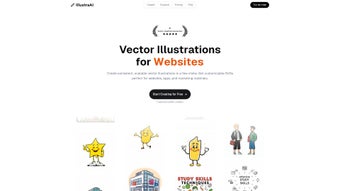
IllustraAI is a cutting-edge, web-based AI illustration generator that transforms text prompts into stunning vector graphics with precision and style. Designed for creatives of all levels, this powerful tool leverages artificial intelligence to deliver high-quality SVG illustrations in seconds. Whether you're a graphic designer, content creator, or hobbyist, IllustraAI makes it easy to generate unique, scalable visuals without advanced design skills. With a flexible credit-based pricing system, secure cloud access, and seamless export options, IllustraAI is a reliable and affordable solution for modern digital design needs. Download IllustraAI today and unlock the power of AI-driven creativity across Windows, Mac, Android, and iOS devices.
Why IllustraAI Stands Out in the AI Design Space
IllustraAI has quickly emerged as a top-tier AI illustration generator, setting itself apart through a combination of intelligent design, accessibility, and practical functionality. Unlike many AI tools that produce raster images with limited scalability, IllustraAI specializes in generating vector-based illustrations in SVG format—ensuring crisp, clean graphics at any size. This feature alone makes it indispensable for web designers, app developers, and branding professionals who need scalable assets without pixelation. The tool’s AI engine analyzes your text prompts with remarkable accuracy, translating abstract ideas into visually coherent and stylistically consistent illustrations. One of the most impressive aspects of IllustraAI is its intuitive interface. Even users with no prior design experience can navigate the platform effortlessly. Simply enter a descriptive prompt—like “a futuristic cityscape with neon lights and flying cars”—and within seconds, the AI generates a detailed vector illustration ready for export. The interface is clean, responsive, and optimized for both desktop and mobile use, allowing users to work seamlessly across Windows, Mac, Android, and iOS devices. Additionally, the platform supports real-time preview and minor adjustments, giving users more control over the final output. Another key differentiator is the credit-based system. Each illustration generated costs one credit, making budgeting predictable and transparent. Users can purchase credits in flexible bundles, starting from small packs for casual use up to large plans for professional teams. This pay-as-you-go model ensures you’re never locked into long-term contracts or overpaying for unused features. The platform also offers a free tier with limited credits, perfect for testing the waters. With regular updates, improved AI models, and enhanced prompt recognition, IllustraAI continues to evolve, staying ahead of competitors in the rapidly growing AI design market.Key Features and How to Use IllustraAI Effectively
IllustraAI is packed with powerful features designed to streamline the creative process and deliver professional-grade results. One of the standout features is its support for SVG export, which enables infinite scalability and compatibility with web development tools like Figma, Adobe Illustrator, and web code. This means your illustrations can be used in websites, apps, presentations, and print materials without quality loss. The platform also allows users to fine-tune the style of their illustrations—choosing from minimalist, cartoonish, realistic, or abstract aesthetics—giving creative control without requiring manual editing. Another major advantage is the prompt engineering support. IllustraAI’s AI is trained to interpret complex and nuanced descriptions, so you don’t need to be a copywriting expert. For example, a prompt like “a serene forest scene with sunlight filtering through tall pine trees, soft shadows, and a wooden cabin in the distance, in a watercolor style” yields a beautifully detailed vector illustration. The tool also includes a prompt suggestion engine that helps users craft effective inputs, reducing guesswork and improving output quality. To get the most out of IllustraAI, follow these simple steps: 1. Visit the official website and sign up for a free account. 2. Choose a plan that suits your needs—free, starter, or premium. 3. Enter your creative prompt in the text box. 4. Select your preferred style and aspect ratio. 5. Click “Generate” and wait for the AI to create your illustration. 6. Preview, download, and export in SVG or other supported formats. The platform also integrates with popular design ecosystems through API access (available in premium plans), allowing developers to embed AI illustration generation into their own apps or workflows. With regular updates that improve image accuracy, style consistency, and speed, IllustraAI ensures you’re always working with the latest technology.Top Features of IllustraAI
- SVG Export Support – Generate scalable vector illustrations for web, print, and app use.
- Credit-Based Pricing – Pay only for what you use with flexible credit packs.
- Style Customization – Choose from multiple artistic styles to match your project’s tone.
- Mobile & Desktop Access – Works seamlessly on Windows, Mac, Android, and iOS.
- Real-Time Preview & Edits – Adjust colors, shapes, and layout before final export.
- Free Tier Available – Test the tool with limited but functional credits.
Compatibility and Installation: Seamless Across Devices
IllustraAI is a web-based application, which means there’s no traditional installation required. This makes it incredibly accessible and user-friendly across all major platforms. Whether you’re using a Windows PC, Mac, Android tablet, or iOS smartphone, you can access IllustraAI directly through your web browser—no downloads, no compatibility issues. The platform is optimized for Chrome, Safari, Firefox, and Edge, ensuring a smooth experience regardless of your preferred browser. Because it runs entirely in the cloud, IllustraAI automatically updates its AI models and features without user intervention. This means you always have access to the latest improvements in image generation, prompt understanding, and export options. There’s no need to worry about manual updates or system requirements—just log in and start creating. For users who prefer a more integrated experience, IllustraAI offers a browser bookmark shortcut and a PWA (Progressive Web App) version. This allows you to add the tool to your desktop or home screen, giving it the feel of a native app. The PWA version supports offline mode for viewing past projects and managing credits, though generation still requires an internet connection. The tool is also designed with privacy and security in mind. All user data, including prompts and generated files, are encrypted during transmission and stored securely. You retain full ownership of your illustrations, and the platform does not claim any rights to your content—ideal for commercial use. With support for multiple languages and region-specific pricing, IllustraAI truly caters to a global audience.Supported Operating Systems
- Windows 10/11 (via browser)
- macOS (via browser)
- Android (Chrome, Firefox)
- iOS (Safari, Chrome)
- WebOS, Linux (browser-based)



.png)



